
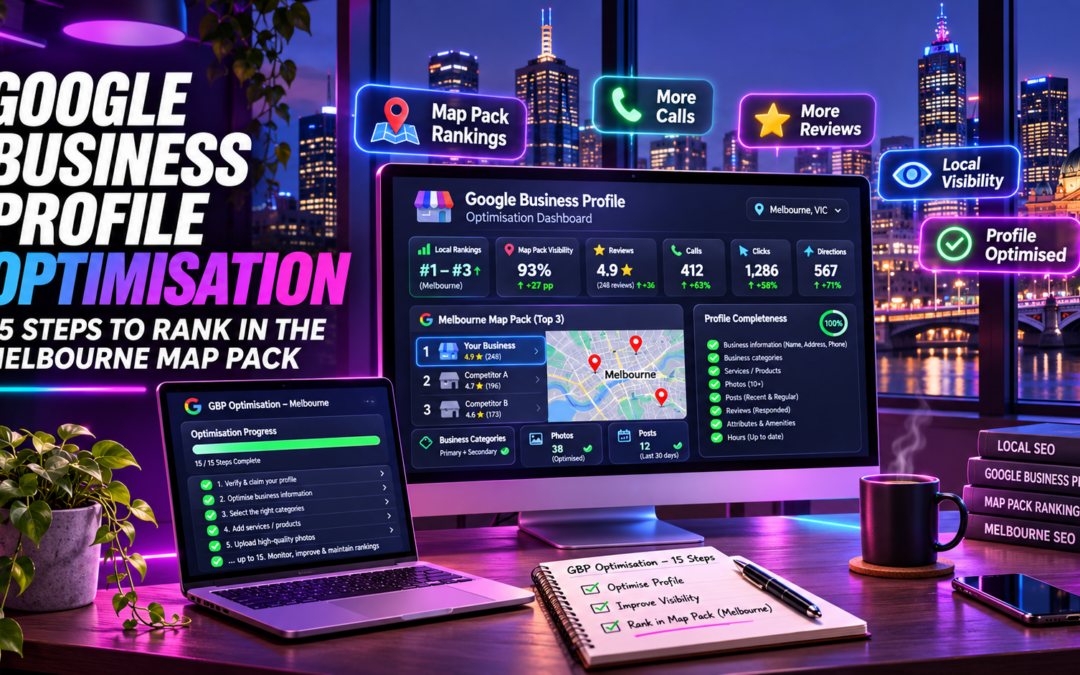
Search for a dentist, a plumber or a café and Google shows a map with three businesses on top. Most owners never learn why they are not one of them. Google Business Profile optimisation is the best place to start.
Key Takeaways
- Google Business Profile optimisation means completing and maintaining your free Google listing so it matches what customers search for.
- Google says local rankings depend mainly on relevance, distance and prominence. You control relevance and prominence.
- Get the basics exactly right first: your real name, a specific category and an honest address or service area.
- Photos, services, posts and replies show Google and customers that your business is active.
- Reviews are the biggest long-term lever. Ask every customer and answer every review.
- Work through the 15 steps in order, then use the quick check to find your gaps.
This guide gives Melbourne business owners 15 practical steps to optimise a Google Business Profile (GBP). The goal is to compete for the map pack, which is the block of three local businesses Google shows above the regular results.
Every step is written in plain English and is free to do yourself. We also flag where a professional helps most.
Not sure where your profile stands?
Claim a free profile review and we will point out the gaps holding you back in the Melbourne map pack.
Claim your free profile reviewHow Google Business Profile optimisation helps you reach the Melbourne map pack
Google says local results depend mainly on three things: relevance, distance and prominence. The details are in Google’s local ranking guidance.
You cannot change how far you are from a searcher. You can strengthen the other two. Relevance comes from complete, accurate details. Prominence comes from reviews, ratings and links from other websites.
Distance matters in a city this size. A café in Brunswick competes with cafés nearby, not across the CBD. Aim to win your own suburb first, then grow outwards.
Figure 1: the 15 steps grouped into three stages. Each stage builds on the one before.
Google also states that there is no way to pay for a better local ranking. That is why the work below is where results come from.
Stage 1: Get the foundations right (Steps 1 to 5)
1. Claim and verify your profile
Search for your business on Google Maps. Claim the listing if it exists, or create one if it does not. Then verify it, because only verified owners can edit details and reply to reviews. Google chooses which verification methods you see, and a postcard takes days, so start early.
2. Use your real business name
Use the name on your signage, exactly as customers know it. Google does not allow slogans, keywords, phone numbers or service descriptions in the name. Adding Best Plumber Melbourne may feel clever, but it breaks Google’s guidelines for representing your business.
3. Choose the right primary category
Google says to choose as few categories as possible and make each one as specific as you can. Your primary category should describe what you are, not every service you sell.
When our team audits local business profiles, the same issue comes up: a vague or wrong primary category.
4. Set an honest address or service area
If customers visit you, enter a precise street address. Do not use a rented mailbox or virtual office. If you travel to customers, set a service area and hide your address. Google says that area should generally stay within about two hours of driving.
Unsure whether your setup qualifies? Book a free consultation and we will check it with you.
5. Add accurate hours, including special hours
Wrong hours cost you customers and reviews. Set your regular hours, then add special hours for public holidays such as Melbourne Cup Day, Christmas and Easter.
This table sums up the foundations.
| Profile field | Do this | Avoid this |
|---|---|---|
| Business name | Use the real name on your signage | Adding keywords, slogans or suburb names |
| Primary category | Choose one specific category | Generic or unrelated categories |
| Address | Use a real street address, or a service area | A virtual office or rented mailbox |
| Hours | Keep regular and special hours accurate | Leaving public holiday hours unchanged |
| Phone | List a number your team answers | A number that always goes to voicemail |
Swipe to scroll the table on mobile
Stage 2: Make your profile complete (Steps 6 to 10)
6. Add your phone number and website
Use a Melbourne number your team actually answers. Link your website to the most relevant page, usually your homepage or a location page. Check that both match your website exactly.
7. Write a clear business description
Say what you do, who you serve and where, in plain English. Lead with the most important facts. Write for a customer, not for a robot, and avoid stuffing in keywords.
8. List your services and products
Add each core service with a short description. Google says detailed, complete information helps it match your profile to the right searches. A full service list supports relevance for more specific queries.
9. Fill in attributes
Attributes are details such as wheelchair access, online booking or free Wi-Fi. They help customers decide before they call. Tick only the ones that are true, and review them when things change.
10. Upload quality photos and video
Add a logo, a cover photo and real photos of your premises, team and work. Google’s photo guidelines ask for sharp, well-lit images without heavy filters, in JPG or PNG format. Videos should be 30 seconds or less.
Uploads stay pending until your profile is verified. Google may also show a customer photo if your cover photo is poor.
Quick check: how optimised is your profile?
Tick everything that is true for your profile today, then see your score.
Want a hand with your profile?
Get a free 30-minute consultation with Nel. We will look at your profile, tell you what is working and what is not, and show you the quick wins.
Get your free consultationStage 3: Build trust and activity (Steps 11 to 15)
11. Earn reviews steadily
Google counts review volume and score as part of prominence. Ask every customer, not just the happy ones, and send a direct review link by SMS or email. Never buy, fake or incentivise reviews. For practical wording, read our guide on getting more reviews without annoying your customers.
12. Reply to every review
Google says positive reviews with helpful replies help a business stand out. Reply to good and bad reviews within a few days. Keep replies polite and brief, and never confirm in public that someone is a customer or patient. Our online reputation management service handles this for busy owners.
If you run a medical or allied health practice, check AHPRA’s advertising guidelines before replying to reviews or posting offers.
13. Post updates, offers and events
Posts let you share news, offers and events on Google Search and Maps. Aim for something fresh most weeks, such as a seasonal offer, a new service or a finished project. Posts will not fix a weak profile, but an active one reassures customers.
14. Make your website back up your profile
Your site should confirm everything on your profile. Add a page for each core service and your location, and keep your name, address and phone identical everywhere. Our guide to Google Business Profile management for Moorabbin businesses shows a simple monthly routine.
Google counts links from other websites as part of prominence. Earn mentions from local suppliers, clubs and business groups.
15. Track results and prepare for AI search
Check your profile’s performance each month: calls, direction requests and website clicks. Also record enquiries in your own system. AI tools now recommend local businesses too, and accurate, consistent details can help. Read how ChatGPT recommends local businesses.
Five Google Business Profile mistakes to avoid
- Adding keywords or suburbs to the business name, which breaks Google’s rules.
- Choosing a vague primary category, or one that describes a service rather than the business.
- Using a virtual office or mailbox as the address.
- Ignoring reviews, especially the negative ones, for weeks at a time.
- Setting the profile up once and never updating hours, photos or services.
Each of these is easy to fix, and fixing them is usually the fastest win available. Start with the name, category and address, because everything else builds on them.
Do it yourself or get help?
Most owners can handle Steps 1 to 10 in a weekend. The ongoing work is harder: reviews, posts, tracking and link building. That is where a specialist saves time.
DigiFix specialises in local SEO, AEO and GEO, and our about page explains who we are. Our team works with Melbourne local businesses, including medical clinics. See our SEO services for how we can help.
Ready to put this into action?
Book a free 30-minute consultation with Nel. We will review your Google Business Profile, spot the quick wins, and map out a plan to move your business towards the Melbourne map pack. No obligation, no hard sell.
Book your free consultation