

Last updated: October 2026.
ChatGPT email prompts are reusable instructions that turn a blank page into a finished draft. Give ChatGPT a role, an audience, a goal and your [VARIABLES], and it writes quotes, booking confirmations, invoice chases and review requests in your voice. DigiFix uses these 32 prompts daily for Australian clients.
Key takeaways
- Around 12 per cent of Australian businesses reported using AI in their workplace in 2024-25, up sharply from the very low rates recorded before generative tools existed (Australian Bureau of Statistics, released 25 June 2026).
- Adoption is uneven: 35 per cent of large businesses used AI in 2024-25, against around 11 per cent of small and micro businesses, so a small Melbourne team that learns prompting early is still ahead of its local competitors (ABS, 25 June 2026).
- Australian law requires consent before you send a marketing email, correct sender identification and an unsubscribe option honoured within 5 working days (ACMA, Spam Act 2003 guidance).
- Google’s Gmail sender rules ask bulk senders to keep spam rates below 0.3 per cent and to support one-click unsubscribe, which is why AI written emails still need a real opt-out and a clean list (Google Workspace support).
- Personal information used for direct marketing sits under the Australian Privacy Principles, and APP 7 sets conditions on using or disclosing it (OAIC).
Every prompt below sits in a copyable block, uses [VARIABLES] so you can reuse it, and comes with a one-line note on why it works plus a filled Melbourne example. Prompts tested on 16 October 2026.
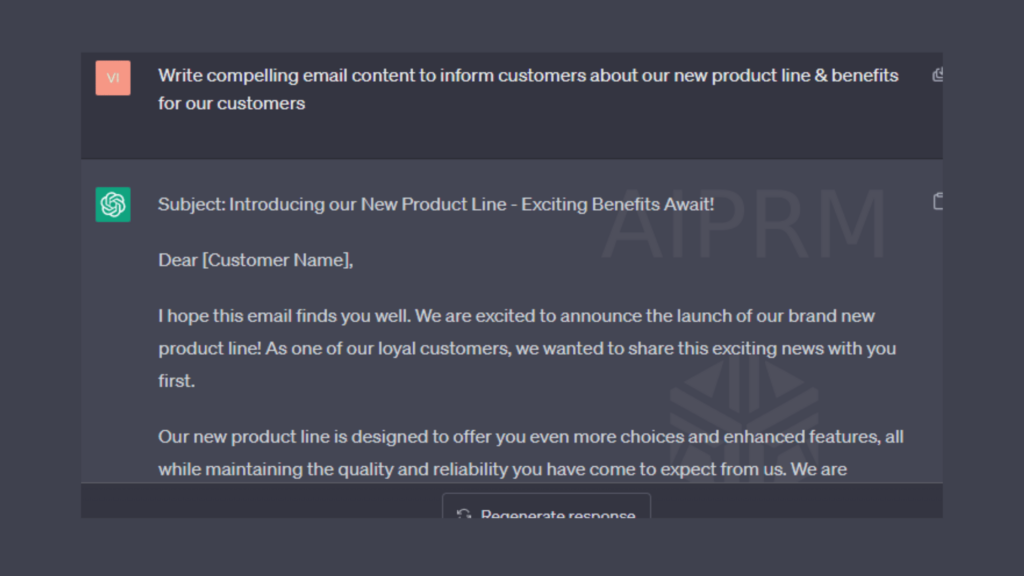
How do you write a ChatGPT email prompt that works?
Most people type a one line request, get a bland reply and blame the tool. A prompt that works names five things: the role ChatGPT should play, the reader, the single goal of the email, the tone, and the hard constraints such as word count, subject line and what must not be said. The table below is the framework DigiFix uses on every client sequence.
| Element | What to write | Melbourne example |
|---|---|---|
| Role | Who ChatGPT is pretending to be | You are the office manager at a plumbing business |
| Audience | Who reads it and what they already know | A Glen Waverley homeowner who received a quote 8 days ago |
| Goal | The one action you want | Book the job this week |
| Tone | How it should read | Friendly, plain Australian English, no jargon |
| Constraints | Limits and exclusions | Under 130 words, include a subject line, never discount the price |
Here is the difference that framework makes. Both prompts ask for the same email.
| Vague prompt | Structured prompt | What changes |
|---|---|---|
| Write an email following up a quote | Role, audience, goal, tone and constraints set out as above | The first produces a generic template with no details, no deadline and no clear ask |
| Result: 220 words, formal, no call to action | Result: 118 words, names the suburb and the quote date, ends with two times to choose from | The structured version is usable after one edit instead of a full rewrite |
Prompt 1: the master framework prompt
Act as the [ROLE] at [BUSINESS NAME], a [INDUSTRY] business in [SUBURB], Melbourne.
Write an email to [AUDIENCE].
The goal of this email is to [GOAL].
Tone: [TONE]. Use Australian English spelling.
Constraints: under [WORD COUNT] words, include a subject line under 55 characters, one clear call to action, and never [EXCLUSION].
Use placeholders such as [CUSTOMER NAME] rather than real details.
Output the subject line first, then the body.
Why it works: it removes every guess ChatGPT would otherwise make on your behalf, so the first draft is close to sendable.
Melbourne example: role set to office manager at Fitzroy North Plumbing, audience a Brunswick landlord with a burst pipe quote from 4 days ago, goal to book the repair this week, tone friendly and direct, under 130 words.
Want your email sequences reviewed by a human? DigiFix maps the full customer journey, from first enquiry to review request, before a single prompt is written.
Which ChatGPT prompts help win more sales?
Sales emails are where ChatGPT pays for itself fastest, because the follow-up that never gets written is the one that loses the job. These seven prompts cover the moments where Australian service businesses most often go quiet.
Prompt 2: quote follow-up
Write a follow-up email to [CUSTOMER NAME], who received quote [QUOTE NUMBER] for [SERVICE] on [QUOTE DATE] and has not replied.
Mention the quote is still valid until [EXPIRY DATE].
Offer two specific appointment windows: [OPTION 1] and [OPTION 2].
Keep it under 120 words and do not repeat the full quote.
Why it works: two concrete time options turn an open question into a simple choice, which is far easier to answer than a vague nudge.
Melbourne example: quote 4821 for a ducted heating service in Ringwood, sent 9 days ago, valid until 31 October, windows Tuesday 7.30am or Thursday 1pm.
Prompt 3: booking confirmation
Write a booking confirmation email for [CUSTOMER NAME] confirming [SERVICE] on [DATE] at [TIME] at [ADDRESS].
Include what the technician will do, how long it takes, and what the customer needs to prepare: [PREPARATION].
Add a clear line for rescheduling: [PHONE NUMBER].
Under 140 words, plain Australian English.
Why it works: confirmations that state the preparation steps cut failed appointments, and the reschedule line keeps the booking out of a no-show.
Melbourne example: Hawthorn East unit, split system install, 14 November at 7.30am, two hours on site, clear access to the outdoor unit and a parking spot out the front.
Prompt 4: missed call follow-up
Write an SMS and email follow-up for [CUSTOMER NAME] who called [BUSINESS NAME] on [DATE] at [TIME] and we missed the call.
Apologise briefly, ask what they needed help with, and give two ways to reply: [PHONE NUMBER] or a booking link.
Keep the SMS under 45 words and the email under 100 words.
Do not claim we know what they called about.
Why it works: a same day recovery on a missed call keeps the enquiry warm, and admitting you do not know the reason stops ChatGPT inventing one.
Melbourne example: missed call from a Coburg homeowner at 4.52pm on a Friday, trades phone number and a booking link, sent before 6pm the same day.
Prompt 5: cold outreach to a local business
Write a short cold email to [BUSINESS NAME], a [INDUSTRY] business in [SUBURB].
Reference something specific and verifiable: [OBSERVATION ABOUT THEIR BUSINESS].
Explain in one sentence how [YOUR SERVICE] helps businesses like theirs.
Ask for a 15 minute call, not a purchase.
Under 110 words, no hype, no exclamation marks, and a single follow-up sentence.
Why it works: a real observation proves the email was written for them, and asking for 15 minutes instead of a sale lowers the cost of replying.
Melbourne example: a Dandenong North cafe with a Google listing showing no opening hours, offering a local SEO audit, 15 minute call on Thursday.
Prompt 6: reply to a price objection
A customer said our quote for [SERVICE] at [PRICE] is too expensive compared with [COMPETITOR PRICE].
Write a reply that does not discount.
Instead, break the price into what it covers: [INCLUSIONS].
Offer one way to reduce scope: [ALTERNATIVE OPTION].
Under 150 words, respectful and confident.
Why it works: it answers the objection with value and an option, so you keep the margin and still give the customer a way to say yes.
Melbourne example: a $4,200 bathroom renovation quote in Preston, inclusions listed as waterproofing, tiling and rubbish removal, with a phased option to do the tiling later.
Prompt 7: meeting request after a referral
Write an email to [PROSPECT NAME] who was referred by [REFERRER NAME] at [REFERRER BUSINESS].
Mention the referral in the first line and what [REFERRER NAME] said: [REFERRAL CONTEXT].
Suggest a 20 minute call with [TWO TIME OPTIONS].
Under 100 words, warm but not pushy.
Why it works: naming the referrer in the opening line is the strongest trust signal a cold email can carry, and it takes one line to include.
Melbourne example: referred by a Werribee accountant after a bookkeeping handover, offering Tuesday 10am or Wednesday 2pm.
Prompt 8: re-engage a dormant quote
Write a re-engagement email to [CUSTOMER NAME] whose quote for [SERVICE] went cold [NUMBER] months ago.
Acknowledge the delay without apologising for it.
Mention one change since then: [CHANGE SUCH AS NEW STOCK OR PRICE].
Ask a single yes or no question: [QUESTION].
Under 90 words.
Why it works: a yes or no question is the lowest effort reply in email, and the price or stock update gives a legitimate reason to make contact again.
Melbourne example: a Camberwell kitchen quote from 5 months ago, noting the supplier lead time has dropped from 8 weeks to 4, asking whether they are still planning the renovation this year.
Prompts only get you so far. If enquiries arrive but nobody follows up, the leak is in the process, not the wording. DigiFix builds the lead handling and digital marketing systems that sit behind these emails.
What does this look like for a Melbourne trade business?
Take a two person electrical business in Glen Waverley turning over roughly $600,000 a year. The owner answers the phone between jobs, so around one enquiry in five goes to voicemail. Quotes go out by email and then nothing happens for two weeks. Invoices go unpaid for 45 to 60 days.
Here is the order DigiFix would work in, and how long each step takes.
| Step | What we set up | Time to build | Cost of waiting |
|---|---|---|---|
| 1. Missed call recovery | Prompt 4 plus an SMS and email template that fires when a call is missed | Half a day | Each unrecovered call is a job worth $400 to $1,500 going to the next electrician on the list |
| 2. Quote follow-up ladder | Prompt 2 sent at day 3, day 8 and day 21 with different wording each time | One day | Quotes left alone for a fortnight are usually decided by whoever followed up first |
| 3. Booking confirmations | Prompt 3 with the preparation list and a reschedule line | Two hours | A wasted site visit costs a full morning of billable time |
| 4. Invoice escalation | Prompts 13 to 15 on a polite, firm and final schedule | One day | Moving average collection from 55 days to 30 days frees up cash that is already earned |
| 5. Review requests | Prompt 11 sent 24 hours after job completion | Two hours | Reviews are the strongest local ranking signal you control, and happy customers forget within a week |
Total build time is under three days. The prompts do the writing, but the sequencing is what changes the numbers, and that is the part most businesses skip. You can see the results DigiFix has delivered for other Australian businesses if you want a sense of the scale.
Which prompts handle complaints or reviews?
Service emails carry more risk than sales emails, because a badly worded complaint reply can turn a fixable problem into a public review. Four prompts cover the whole arc.
Prompt 9: complaint reply
Write a reply to [CUSTOMER NAME] who complained about [ISSUE] on [DATE].
Open by acknowledging the specific problem, not a general apology.
State what we are doing about it: [ACTION].
Give a timeframe: [TIMEFRAME].
Do not admit legal liability and do not blame staff or suppliers.
Under 160 words, calm and plain.
Why it works: naming the exact problem proves the email was read, and the action plus timeframe gives the customer something concrete to hold you to.
Melbourne example: a Clayton customer whose hot water unit was installed 3 days late, action is a $150 credit on the invoice, timeframe is the credit applied within 2 business days.
Prompt 10: job completion thank-you
Write a short thank-you email to [CUSTOMER NAME] after we completed [SERVICE] at [ADDRESS] on [DATE].
Reference one specific detail from the job: [JOB DETAIL].
Remind them of the warranty: [WARRANTY TERMS].
Include our phone number for future work: [PHONE NUMBER].
Under 90 words.
Why it works: the job specific detail makes it read like a human wrote it, and the warranty reminder reduces repeat call-outs you would absorb for free.
Melbourne example: a Northcote bathroom fan replacement, noting the existing ducting was reused, 5 year parts warranty, office number listed.
Prompt 11: Google review request
Write a review request email to [CUSTOMER NAME] after [SERVICE] was completed on [DATE].
Ask for a Google review and link to [GOOGLE REVIEW LINK].
Give one prompt about what to mention: [SUGGESTED DETAIL].
Keep it under 70 words and make clear there is no obligation.
Do not offer an incentive of any kind.
Why it works: suggesting what to mention produces reviews with the service keywords in them, and dropping any incentive keeps you inside Google’s review policy.
Melbourne example: sent 24 hours after a blocked drain cleared in Richmond, asking the customer to mention how quickly the team arrived.
Prompt 12: apology for a delay
Write an email telling [CUSTOMER NAME] that [SERVICE] scheduled for [ORIGINAL DATE] is delayed until [NEW DATE] because [REASON].
Apologise once, plainly, at the start.
State what we are doing to reduce the impact: [COMPENSATION OR ACTION].
Confirm the new date and time.
Under 110 words. Do not over-apologise or repeat the apology.
Why it works: one clean apology with a new date reads as professional, while three apologies read as a business in trouble.
Melbourne example: a Werribee solar install moved from 12 to 19 November because the inverter shipment was held up, with the installer arriving first on site at 7am.
How do you chase overdue invoices politely?
Overdue invoice emails fail for one reason: they all sound the same at every stage. The fix is an escalation ladder where each email has a different job. Use the table to pick the stage, then the prompt.
| Stage | Timing | Tone | The one job of this email |
|---|---|---|---|
| Polite reminder | 3 days after due date | Helpful | Assume an oversight and make paying easy |
| Firm reminder | 14 days after due date | Direct | Ask for a payment date, not just payment |
| Final notice | 30 days after due date | Formal | State the consequence and the deadline |
| Payment plan offer | Any stage, on request | Practical | Keep the customer while recovering the money |
Prompt 13: polite reminder
Write a friendly payment reminder to [CUSTOMER NAME] for invoice [INVOICE NUMBER] for [AMOUNT], due on [DUE DATE].
Assume the delay is an oversight.
Repeat the payment details: [PAYMENT METHOD AND BSB OR LINK].
Offer to resend the invoice if needed.
Under 90 words. No late fee mentioned at this stage.
Why it works: repeating the payment details removes the most common reason a first reminder gets ignored, which is that the customer cannot find the original invoice.
Melbourne example: invoice 1129 for $880 to a Bayswater client, due 2 October, bank transfer details repeated and an offer to resend the PDF.
Prompt 14: firm reminder
Write a firm payment reminder to [CUSTOMER NAME] for invoice [INVOICE NUMBER] for [AMOUNT], now [NUMBER] days overdue.
State that the account is on hold until payment is received: [WHAT IS ON HOLD].
Ask for a specific payment date by [DATE].
Mention the late fee clause: [LATE FEE TERMS].
Under 110 words, direct and unemotional.
Why it works: asking for a date rather than payment turns a stalemate into a commitment, and the hold makes the consequence real without a threat.
Melbourne example: invoice 1104 for $2,450, 19 days overdue, new work on hold, payment date requested by 30 October, 2 per cent monthly late fee per the terms.
Prompt 15: final notice
Write a final notice email to [CUSTOMER NAME] for invoice [INVOICE NUMBER] for [AMOUNT], [NUMBER] days overdue.
State that if payment is not received by [FINAL DATE] the account will be referred to [DEBT COLLECTION PROCESS].
Give one contact for questions: [CONTACT DETAILS].
Under 120 words, formal, no sarcasm, no threats beyond the stated process.
Do not use aggressive language.
Why it works: a stated process with a real date is defensible if the debt is disputed, and it removes the emotion that makes final notices backfire.
Melbourne example: invoice 1058 for $3,100, 34 days overdue, final date 7 November, referral to the business’s external collections process after that.
Prompt 16: payment plan offer
Write an email to [CUSTOMER NAME] offering to split invoice [INVOICE NUMBER] for [AMOUNT] into [NUMBER] payments of [AMOUNT PER PAYMENT] starting [START DATE].
Confirm no extra fees are added.
Ask them to reply with the word agreed to confirm: [CONFIRMATION WORD].
Under 100 words.
Why it works: a one word confirmation is the easiest possible reply, and a plan that recovers most of the invoice beats a debt that recovers none.
Melbourne example: a $1,800 invoice split into 3 payments of $600 starting 1 November, with a reply of agreed confirming the plan.
Prompt 17: price increase notice
Write an email to [CUSTOMER NAME] about a price increase on [SERVICE OR PRODUCT] from [OLD PRICE] to [NEW PRICE], effective [EFFECTIVE DATE].
Give the reason in one sentence: [REASON].
Explain what stays the same: [WHAT IS NOT CHANGING].
Offer to discuss before the effective date.
Under 150 words, respectful and factual.
Why it works: stating what is not changing stops customers assuming the worst about the rest of the relationship, and advance notice protects the renewal.
Melbourne example: a managed IT retainer moving from $1,200 to $1,350 a month from 1 January because of monitoring licence costs, with the response time unchanged.
Prompt 18: supplier follow-up
Write an email to [SUPPLIER NAME] about purchase order [PO NUMBER] placed on [ORDER DATE] for [ITEMS], promised for [PROMISED DATE].
Ask for a confirmed dispatch date and a tracking reference.
Explain the impact on a customer booking: [IMPACT].
Keep it professional and brief, under 110 words.
Ask for a reply by [REPLY DATE].
Why it works: naming the downstream customer booking moves the email up the supplier’s queue, and asking for a reply date stops the thread going quiet.
Melbourne example: PO 7742 for 12 LED high bays promised for 20 October, a Somerville warehouse install booked for 28 October, reply requested by 23 October.
Prompt 19: staff email
Write an internal email to the [TEAM NAME] team about [CHANGE OR PROCESS], effective [DATE].
Lead with what changes for them on the next shift.
List the steps in order: [STEPS].
State who to ask if something is unclear: [NAME AND ROLE].
Under 180 words, plain English, no corporate language, no exclamation marks.
Why it works: leading with the change rather than the background is what makes an internal email get read before the shift starts, not after.
Melbourne example: a new job photo requirement for the install team at a Campbellfield workshop, effective Monday, photos uploaded to the job app before leaving site.
Cash flow problems rarely come from one big invoice. They come from a follow-up routine that only runs when someone remembers. We automate that routine for Australian clients, and you can see how in the DigiFix blog.
Which prompts improve email marketing results?
Campaign emails are written once and sent to everyone, so a small wording change is worth more here than anywhere else. Seven prompts cover the full campaign cycle.
Prompt 20: subject line variants
Write 10 subject lines for an email about [OFFER OR NEWS] going to [AUDIENCE].
Each must be under 55 characters and use a different angle: curiosity, benefit, urgency, question, number, deadline, plain statement.
No clickbait, no all caps, no emoji.
Then rank them 1 to 10 and explain the ranking in one line each.
Why it works: asking for angles rather than options guarantees variety, and the ranking forces ChatGPT to justify choices you can then test.
Melbourne example: a Fitzroy cafe emailing a winter lunch special to 1,400 local subscribers, angles spanning curiosity through to a plain statement of the offer.
Prompt 21: preview text
Write 5 preview text lines for an email with subject line: [SUBJECT LINE].
Each must be 40 to 90 characters, continue the subject line rather than repeat it, and avoid the words [BANNED WORDS].
Rank them by how well they complement the subject line.
Why it works: preview text that repeats the subject line wastes the second most visible line in the inbox, and this prompt makes it add information instead.
Melbourne example: subject line about a EOFY stocktake sale for a Preston wholesaler, with preview lines that name the closing date.
Prompt 22: welcome email
Write a welcome email to a new subscriber to [BUSINESS NAME]’s list.
Explain in one line what they will receive and how often: [EMAIL FREQUENCY AND CONTENT].
Give one immediate useful thing: [QUICK WIN OR RESOURCE].
Set expectations for replying: [REPLY POLICY].
Under 160 words, warm and human, Australian English.
Why it works: setting the frequency expectation in the first email is the cheapest way to reduce unsubscribes later, and the quick win earns the second open.
Melbourne example: a Hawthorn bookkeeping firm sending a monthly cash flow tip, a free BAS checklist, and inviting replies to the office inbox.
Prompt 23: welcome series outline
Plan a 4 email welcome series for [BUSINESS NAME], a [INDUSTRY] business selling [OFFER].
For each email give: send day, subject line, the one goal, and the single call to action.
Sequence the goals so the series moves from trust to proof to offer.
Do not repeat the same call to action twice in a row.
Present the plan as a table.
Why it works: asking for a table and a goal per email produces a plan you can build from, rather than four emails that all ask for the same thing.
Melbourne example: a Doncaster mortgage broker, 4 emails over 12 days moving from a rate update to a client story to a calculator to a booking link.
Prompt 24: EOFY promotion
Write an end of financial year email for [BUSINESS NAME] promoting [OFFER] to [AUDIENCE].
Explain the tax or budgeting reason to act before 30 June: [REASON].
State the deadline and what happens after it.
Include one clear call to action: [ACTION].
Under 180 words. Do not make claims about individual tax outcomes.
Why it works: the exclusion stops ChatGPT writing tax advice on your behalf, which is a genuine risk for any Australian business emailing in June.
Melbourne example: an equipment supplier in Dandenong offering a prepay discount for orders placed before 30 June, with delivery scheduled into July.
Prompt 25: seasonal promotion
Write a seasonal email for [BUSINESS NAME] for [SEASON OR EVENT], promoting [OFFER] to [AUDIENCE] in [SUBURB].
Reference a local detail that fits the season: [LOCAL DETAIL].
Include the dates the offer runs: [START AND END DATE].
Under 150 words and one call to action.
Why it works: a genuine local detail makes a seasonal email feel written for the suburb rather than pulled from a template library.
Melbourne example: a Brunswick cafe promoting a winter soup lunch during the coldest week of the year, running 1 July to 31 August.
Prompt 26: win-back email
Write a win-back email to [CUSTOMER NAME] who last purchased [PRODUCT OR SERVICE] in [MONTH AND YEAR] and has not engaged since.
Open with something specific to their history: [PAST PURCHASE DETAIL].
Offer a reason to return that is not only a discount: [REASON].
Give one option to reduce emails instead of leaving: [PREFERENCE LINK].
Under 130 words.
Why it works: offering a reduced email frequency keeps the customer on the list, where a discount alone often just trains people to wait for the next one.
Melbourne example: a Nunawading pet supplies customer whose last order was in March, offering a repeat order reminder and a monthly instead of weekly email option.
Great prompts still need a great list. If you want the campaigns built, segmented and reported on, that is the work DigiFix does every month. See the DigiFix portfolio for examples.
How do you make ChatGPT sound like your business?
By default ChatGPT writes in a neutral, slightly American register. Three prompts fix that, and they are the ones worth setting up first because every other prompt inherits the result.
Prompt 27: build a voice sample
Here are three emails my business has sent: [PASTE 3 REAL EMAILS].
Analyse them and describe my writing voice in under 100 words, covering sentence length, formality, how I greet people, how I sign off, and words I use often.
Then list 10 words or phrases I should never use because they are not how we speak.
Why it works: three real emails give ChatGPT more voice information than any adjective you could type, and the banned list is reusable in every prompt afterwards.
Melbourne example: three quote emails from a Ringwood garden maintenance business, which produced a voice description of short sentences, first names only, and a habit of ending on the next step.
Prompt 28: rewrite in our voice
Rewrite the email below in our voice, described here: [VOICE DESCRIPTION FROM PROMPT 27].
Keep the facts, the dates and the call to action unchanged.
Shorten it by [PERCENTAGE] per cent.
Remove these words: [BANNED WORDS].
Email to rewrite: [PASTE DRAFT]
Why it works: locking the facts and shortening at the same time stops the rewrite drifting away from what the email actually needs to say.
Melbourne example: a 240 word draft from a Sunshine accounting firm shortened by 30 per cent, with the fee and the deadline left untouched.
Prompt 29: Australian English checker
Check the email below for Australian English and fix it.
Change American spellings to Australian, such as the US spelling of organi[z]e and colo[u]r.
Fix any date written in month first format to day month year.
Flag any phrase that sounds American rather than Australian.
List every change you make, then give the corrected email.
Email: [PASTE DRAFT]
Why it works: asking for the change list as well as the rewrite means you spot the patterns ChatGPT keeps repeating and can add them to your banned list.
Melbourne example: a draft from a Frankston retailer where organise, colour and 03/15/2027 were all corrected before sending to a customer.
What does Australian spam law require in your emails?
AI changes how fast you write an email. It does not change the law that governs sending it. The Spam Act 2003 applies to any commercial electronic message sent from Australia or received in Australia, and the ACMA enforces it.
Three obligations matter most for AI written emails. You must have consent before you send, the message must identify you as the sender with correct contact details, and it must include an unsubscribe option that is honoured within 5 working days without a fee and without requiring the person to log in (ACMA, Avoid sending spam). Consent can be express, such as a form or a ticked box, or inferred from a provable ongoing relationship where the marketing relates directly to it. Buying a list does not transfer consent to you.
Deliverability rules sit on top of the legal ones. Google’s Gmail sender guidelines, updated from 1 February 2024, require SPF or DKIM authentication, a spam rate below 0.3 per cent as reported in Postmaster Tools, and one-click unsubscribe on marketing messages, with additional requirements for senders of 5,000 or more messages a day (Google Workspace support).
Privacy sits alongside both. If your list contains personal information, the Australian Privacy Principles apply, and APP 7 sets the conditions for using or disclosing that information for direct marketing (Office of the Australian Information Commissioner).
Prompt 30: compliance check before sending
Review the marketing email below against Australian spam rules.
Check for: a clear identification of the sender and their contact details, a working unsubscribe line, no misleading subject line, and no false urgency.
List any problem you find and rewrite the email to fix it.
Do not add legal advice. If something needs a lawyer, say so.
Email: [PASTE DRAFT]
Why it works: it turns a checklist into a step you actually run, and the instruction to defer on legal questions keeps ChatGPT inside its lane.
Melbourne example: a promotional email from a Springvale wholesaler missing an unsubscribe line, corrected to include the business name, ABN and an unsubscribe sentence.
Use placeholders, not real customer data
Before you paste anything into ChatGPT, replace names, email addresses, phone numbers, account numbers and health or financial details with [VARIABLES]. A prompt is a message to a third party service, and free consumer accounts may use what you submit to improve their models. Prompt 31 makes this a habit rather than a rule you have to remember.
Prompt 31: placeholder privacy check
Read the text below and list anything that looks like real personal or customer information: names, email addresses, phone numbers, addresses, account or invoice numbers, and any health or financial detail.
Replace each one with a clear [VARIABLE] and return the rewritten text.
Then confirm the rewritten version contains no identifiable customer information.
Text: [PASTE YOUR PROMPT OR DRAFT]
Why it works: running the check on the prompt itself, not just the output, catches the details you paste out of habit while building the email.
Melbourne example: a draft quoting invoice 1104 for a named Camberwell customer, rewritten with [INVOICE NUMBER] and [CUSTOMER NAME] before it reached ChatGPT.
Do these prompts work in Claude, Gemini or Copilot?
Yes, with small adjustments. The five part framework is portable because it describes the task rather than the tool. What changes is how each assistant handles long instructions and how it stores context between sessions.
| Tool | What to change | Best fit for |
|---|---|---|
| ChatGPT | Nothing. Prompts run as written, and custom instructions carry your voice between chats | The full library, including long multi part sequences |
| Claude | Add a closing line asking it to follow the constraints exactly, and paste your voice sample into a project | Longer complaint replies and tone rewrites |
| Gemini | Split longer prompts into two steps, and state the word limit again in the second step | Quick subject line and preview text batches |
| Copilot | Ask for plain text output, since it defaults to a formatted document | Drafting inside Word or Outlook, where the email is going to be sent |
Prompt 32: the portable version
Role: [ROLE] at [BUSINESS].
Task: write an email to [AUDIENCE] about [SUBJECT].
Goal: [SINGLE ACTION].
Tone: [TONE]. Australian English.
Limits: under [WORD COUNT] words, subject line under 55 characters, one call to action, do not mention [EXCLUSION].
Use placeholders for any customer detail.
Output plain text only, subject line first.
Follow every limit above exactly.
Why it works: the final line is the adjustment that matters most outside ChatGPT, and plain text output drops straight into any email client without reformatting.
Melbourne example: used in Copilot inside Outlook by a Geelong based sales rep to draft a quote follow-up, then sent with two edits.
One more thing worth knowing: how these assistants answer is still changing fast, and so is the way search engines surface content. If you want to understand where AI tools are heading before you build a process around them, read our guide to the limitations of ChatGPT. If your copywriting prompts are the gap rather than email, we cover that separately in the guide to the best ChatGPT copywriting prompts, so the two libraries do not overlap.
Reading this and realising your follow-up happens whenever someone remembers? DigiFix is a Melbourne digital agency working with Australian businesses on marketing, automation and AI. You can see how DigiFix works before you get in touch.
What else should you know about ChatGPT email prompts?
Are ChatGPT email prompts free to use?
Yes. Every prompt on this page works on the free tier of ChatGPT and on free accounts with Claude, Gemini and Copilot. You only need a paid plan if you want longer context, higher message limits or the ability to save custom instructions permanently. For a small business sending a few hundred emails a month, the free tier is usually enough to start. Upgrade when you find yourself hitting the daily limit during a busy period rather than before.
How many prompts do I need for a sales sequence?
Most Australian service businesses need four to six. A typical set is an initial reply, a quote follow-up at day three, a second follow-up at day eight, a closing email at day twenty one, and a booking confirmation once the job is won. That covers the full path from enquiry to scheduled work without repeating the same message twice. Adding more than six usually means the sequence has overlapping steps rather than genuinely different ones.
Will ChatGPT emails sound robotic?
They will if you skip the voice setup. Prompts 27 and 28 exist because a generic prompt produces generic writing, with the same rhythm and the same transitional phrases every time. Once you feed ChatGPT three real emails and ask for a voice description plus a banned word list, the output narrows to your register. The remaining tell is length. Most AI drafts run about twenty per cent long, so set a word limit and hold it.
Can I paste real customer details into ChatGPT?
Avoid it. Names, email addresses, phone numbers, addresses, invoice numbers and any financial or health detail should be replaced with [VARIABLES] before you send the prompt. A prompt is a message to a third party service, and free consumer accounts may use submitted content to improve their models. If your business handles personal information, the Australian Privacy Principles apply to how you manage it, and that includes what you paste into an external tool. Prompt 31 turns this into a quick check.
Does Google penalise AI written emails?
Google’s spam rules do not turn on how an email was written. They turn on whether the recipient consented, whether the message is relevant, and whether the sender is authenticated. What does get you filtered is a high spam complaint rate, which Google’s Gmail sender guidelines put at a threshold of 0.3 per cent in Postmaster Tools, along with missing SPF or DKIM records and a broken unsubscribe link. Write with AI, but send to a list that asked for your emails.
How long should a follow-up email be?
Under 130 words for a follow-up, and under 90 words for a second or third attempt. The pattern that works is short and specific: a reference to the original quote or booking, one new piece of information, and a single question or pair of time options. Long follow-ups read as a pitch and get deferred. If a follow-up needs more than 130 words to make sense, the problem is usually the original quote rather than the email chasing it.
Do you want more traffic?
—————
Hi, we are an Australian digital agency doing groundbreaking work to help a business like yours reach its full potential. My only question is will you qualify for our services?
Do you want more traffic?
—————
Hi, we are an Australian digital agency doing groundbreaking work to help a business like yours reach its full potential. My only question is will you qualify for our services?