Last updated: September 2026
An SEO friendly website structure is a shallow, logical hierarchy where every page sits within four clicks of the home page, URLs are short and descriptive, and internal links connect related content. DigiFix builds structures that help Google crawl every page and help visitors find answers fast.
Key takeaways
- An SEO friendly website structure groups pages into clear topic silos so search engines understand what each section is about.
- Keep navigation shallow: every important page should be reachable within four clicks from the home page.
- Clean, readable URLs and breadcrumbs tell both users and Google exactly where each page sits.
- Internal links with descriptive anchors spread authority and stop pages becoming orphaned.
- Audit the structure every quarter to fix broken links, redirect chains and orphan pages before they hurt rankings.
Your website structure is the way your pages are organised, linked and labelled. It influences how easily Google crawls your site, how link authority flows between pages, and how quickly a visitor finds what they came for. This guide walks you through building an SEO friendly website structure step by step, whether you are planning a new site or fixing an old one.
What is a website structure?
A website structure is the organised layout of your pages and the links between them, usually shown as a diagram with the home page at the top and every other page branching below it. Website structure decides which pages sit in your main menu, which pages live under which categories, and how many clicks it takes to reach any single page. A clear structure works like the floor plan of a shop: a new visitor finds the right aisle without asking, and a crawler moves through every room without hitting a dead end.
Website structure matters for two audiences at once. For people, a logical structure means less hunting and more trust. For search engines, it means faster crawling, clearer topical signals and better flow of ranking power. When the structure is messy, both struggle: pages never rank and visitors leave within seconds.
Why does an SEO friendly website structure matter?
An SEO friendly website structure directly affects how well your pages rank and how much of your marketing budget is wasted. Google’s own SEO starter guide explains that a logical, crawlable site hierarchy helps search engines find and understand your content. When your structure is clear, Google can index more of your pages and show the right page for the right query. When the structure is tangled, even excellent content can sit invisible because crawlers never reach it.
Structure also controls the flow of internal link authority. Pages linked from your home page and main menu receive more ranking power than pages buried five levels deep. A deliberate structure points that power at the pages that drive enquiries and sales. A clean structure also prevents keyword cannibalisation, where two of your own pages compete for the same term and both rank worse than one strong page would.
What are the four types of website structure?
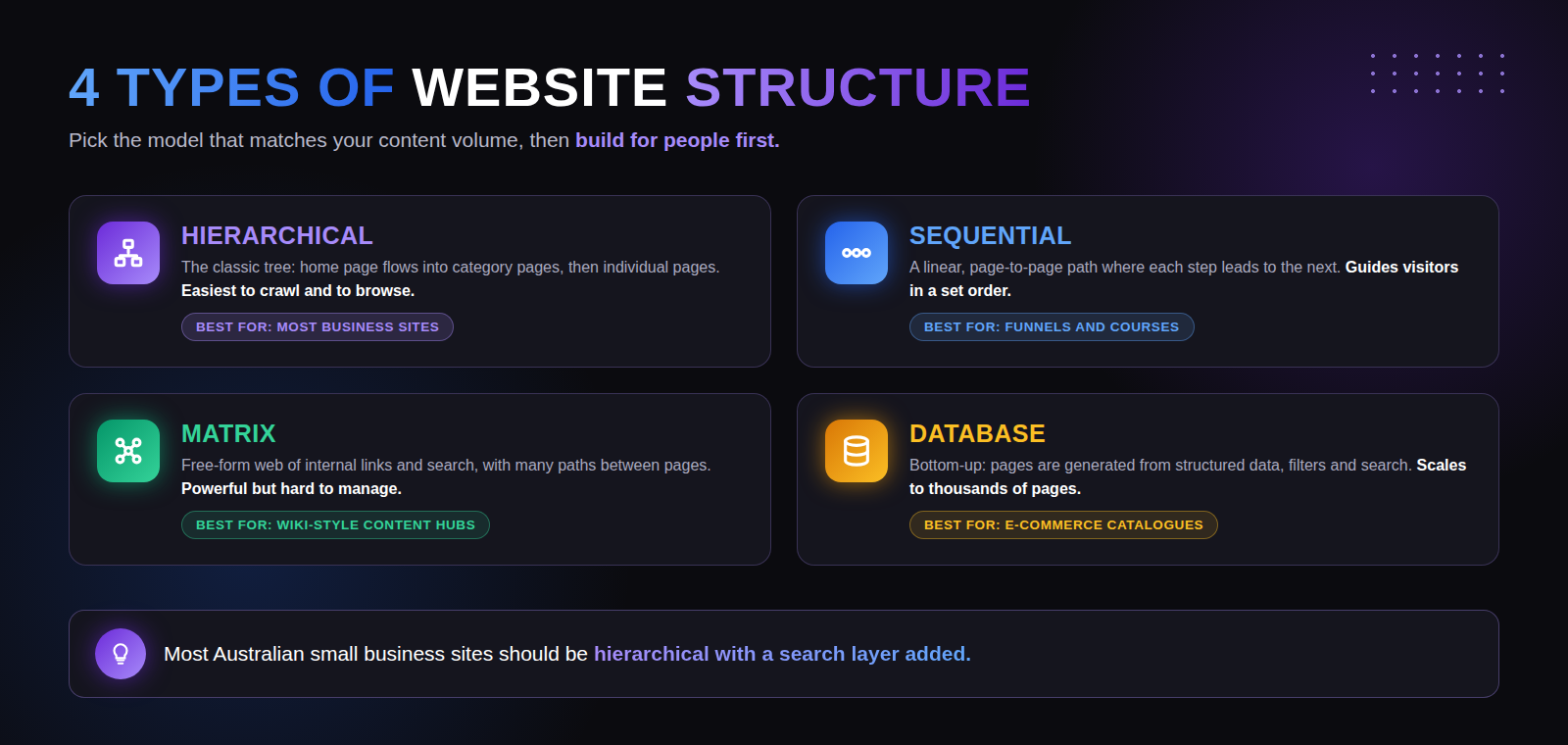
There are four main website structure models: hierarchical, sequential, matrix and database. Most business websites use a hierarchical model, often with a search layer added. The infographic below compares all four, and the table beneath it gives the same information in text form so you can scan or copy it.
| Structure | How it works | Best for |
|---|---|---|
| Hierarchical | Home page flows into category pages, then into individual pages. The classic tree. | Most business and service websites. |
| Sequential | A linear page-to-page path where each step leads to the next in a set order. | Sales funnels, courses and onboarding flows. |
| Matrix | Free-form web of internal links and search with many paths between pages. | Wiki-style content hubs and large reference sites. |
| Database | Pages generated from structured data, filters and search, bottom up. | E-commerce catalogues and large listings sites. |
For almost every Australian small and medium business, the right choice is a hierarchical structure. A tradie, a law firm, a physiotherapist or a local retailer all have a natural set of services and locations that map neatly onto categories and sub-pages. The other models solve problems most small sites do not have.
Not sure which structure your site needs?
DigiFix plans site architecture for Australian businesses every week. We will map your services into a structure that Google can crawl and your customers can use.
How do you build an SEO friendly website structure, step by step?
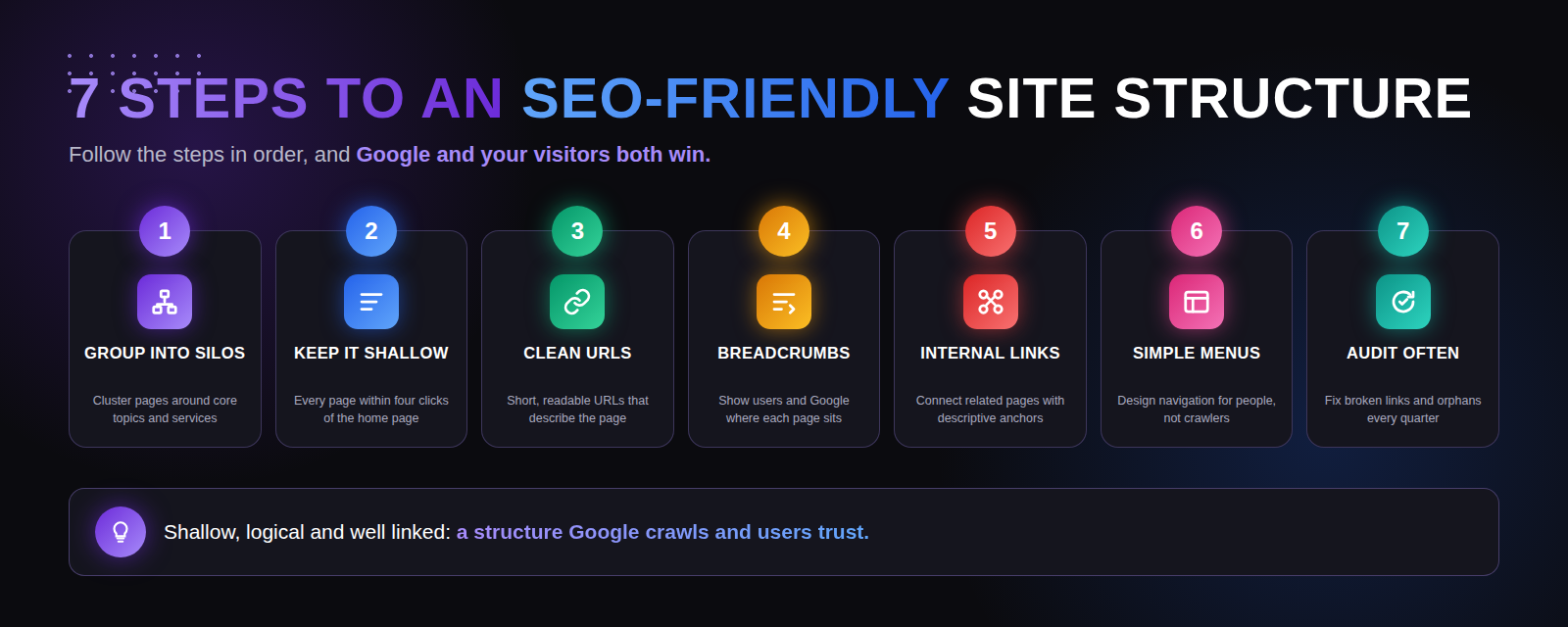
Building an SEO friendly website structure is a seven-step process you follow in order, before you design a single page. Work through each step below and you will end up with a sitemap that serves users and search engines equally well. The infographic underneath summarises the whole process at a glance.
Step 1: Group your pages into topic silos
Topic silos are groups of pages that all cover one core theme. List every page your site needs, then cluster them around your main services or product lines. A Melbourne plumber might end up with silos for emergency plumbing, hot water systems, blocked drains and gas fitting. Each silo gets a parent category page, and every related page lives under that parent. Silos tell Google your site has depth on a topic, which builds topical authority and helps every page in the silo rank better.
Step 2: Keep the structure shallow
Click depth is the number of clicks it takes to reach a page from the home page, and it matters more than the exact wording of your URLs. Google’s John Mueller has said publicly that click depth carries more weight for SEO than URL structure. Keep every important page within four clicks of the home page, and your most valuable pages within two. A shallow structure means crawlers reach every page on every visit, and users never feel lost.
Step 3: Write clean, descriptive URLs
A clean URL is short, readable and describes the page. Use lowercase words separated by hyphens, include the main keyword where it fits naturally, and avoid dates, random numbers and session IDs. For example, digifix.com.au/web-design-services-australia/ is far clearer than digifix.com.au/page?id=482.
Step 4: Add breadcrumbs to every page
Breadcrumbs are the small navigation trail near the top of a page, usually formatted as Home > Category > Page. Breadcrumbs show visitors exactly where they are and give them a one-click path back to any parent level. They also add internal links to every page automatically, and Google often displays them in search results in place of the raw URL, which can lift click-through rate. Most WordPress SEO plugins, including Rank Math, output breadcrumb markup with a single setting.
Step 5: Build a deliberate internal linking plan
Internal links are links from one page on your site to another, and they are the connective tissue of your structure. Every important page should receive links from several related pages, using descriptive anchor text that names the topic, never “click here”. Link from high-authority pages, such as your home page and popular blog posts, to the pages you most want to rank. Internal linking also keeps visitors moving through your site.
Step 6: Design menus for people first
Your main menu is the most-used navigation element on your site, so design it for humans rather than search engines. Limit top-level items to your core silos, use clear labels a first-time visitor understands, and keep dropdowns to one level where possible. The W3C Web Accessibility Initiative menus tutorial is a solid reference for menus that work for every user, including people using keyboards and screen readers. A menu that is easy for people is almost always easy for crawlers too.
Step 7: Audit the structure every quarter
A website structure is not a set-and-forget asset. New pages get added, old pages get deleted, and links break. Run a crawl every quarter with a tool such as Screaming Frog or Sitebulb and fix the three problems that appear most often: broken internal links, long redirect chains and orphan pages with no internal links. A regular audit keeps the structure clean as the site grows and is far cheaper than a full restructure later.
| Step | Action | Why it matters |
|---|---|---|
| 1. Group into silos | Cluster pages around core topics and services. | Builds topical authority for the whole silo. |
| 2. Keep it shallow | Every page within four clicks of the home page. | Crawlers reach every page; users never feel lost. |
| 3. Clean URLs | Short, readable URLs that describe the page. | Easier for users and crawlers to interpret. |
| 4. Breadcrumbs | Show users and Google where each page sits. | Adds internal links and can lift click-through rate. |
| 5. Internal links | Connect related pages with descriptive anchors. | Spreads authority and stops orphan pages. |
| 6. Simple menus | Design navigation for people, not crawlers. | A menu easy for people is easy for crawlers. |
| 7. Audit often | Fix broken links and orphan pages every quarter. | Keeps the structure clean as the site grows. |
How does this work for a real Melbourne business?
Consider a family law firm in Richmond with a five-page website that gets almost no organic enquiries. The firm offers divorce advice, property settlements, parenting arrangements, mediation and wills, but all of it sits on a single “Services” page, so Google cannot tell which page to rank for which query. DigiFix would rebuild the structure over about two weeks: week one maps the five services into silos with a dedicated page each plus a “Family Lawyer Richmond” location page; week two rewrites URLs, adds breadcrumbs and links every service page from the home page and relevant blog posts. Within a few months the firm has six pages that can each rank for a specific search instead of one page ranking for nothing. The cost of doing nothing is simple: every month the site stays flat, competitors with clearer structures collect the enquiries that should have been theirs.
Want proof before you commit?
See how DigiFix has restructured and grown websites for Australian businesses across trades, health, legal and retail.
What mistakes should you avoid in your website structure?
The most common website structure mistakes are deep nesting, duplicate category pages, orphan pages and keyword-stuffed URLs. Deep nesting buries pages under layers of categories, so crawlers rarely reach them. Duplicate category pages target the same keyword from two URLs and split your ranking power. Orphan pages have no internal links pointing to them, so users and crawlers only find them by accident. Keyword-stuffed URLs look spammy and get trimmed in search results. Every one of these is avoidable with the seven steps above and fixable with a quarterly audit.
A subtler mistake is restructuring live URLs without proper redirects. If you change a URL, always add a 301 redirect from the old address to the new one, or you will lose the rankings and backlinks the old page earned. If you are planning a larger rebuild, it is worth reading our guide on how to optimise website content and our overview of the key advantages of SEO for businesses so the structure and the content strategy support each other. Businesses selling online should also see the ultimate e-commerce website design guide, and anyone planning for AI search should review our ultimate guide to generative engine optimisation. Google’s guidance on creating helpful, reliable, people-first content reinforces the same principle: build for users first, and rankings follow.
How do you know if your current structure is hurting your SEO?
You can spot a harmful website structure with a few quick checks. Open Google Search Console and look at the Pages report: if many valid pages are excluded as “Discovered, currently not indexed”, a deep or broken structure is a likely cause. Run a crawl and check click depth: any important page deeper than four clicks is a red flag. Search Google for your own brand plus a service: if the wrong page ranks, or two pages alternate, your silos are unclear. Finally, ask someone who has never seen your site to find a specific piece of information and watch where they hesitate. Their confusion is exactly what a search engine experiences.
If you would like a professional pair of eyes on it, the DigiFix team runs structural audits as part of our broader search work. You can learn more about who we are on our About DigiFix page, or explore more guides like this one on the DigiFix blog.
Frequently asked questions about SEO friendly website structure
How many clicks should it take to reach any page on my website?
Every important page should be reachable within four clicks of the home page, and your highest-value pages within two. Pages closer to the home page get crawled more often and carry more authority. If a key service page sits five or six clicks deep, move it higher in the hierarchy or link to it directly from the main menu.
Should my URLs include keywords?
Yes, include the main keyword in the URL where it reads naturally, but keep the whole URL short and descriptive. A URL like /web-design-services-australia/ helps users and search engines understand the page before they open it. Avoid stuffing several keywords into one URL or adding dates and parameters that add length without meaning.
Can I change my website structure without losing rankings?
Yes, you can change your website structure safely if you map every old URL to its new address with a 301 redirect and update your internal links. Rankings may wobble for a few weeks while Google recrawls the site, but a well-planned migration with redirects preserves almost all of your existing authority. The risk lies in changing URLs without redirects, which treats every page as brand new.
What is the difference between a flat and a deep website structure?
A flat website structure keeps most pages close to the home page, usually within two or three clicks, while a deep structure buries pages under many layers of categories. Flat structures are easier to crawl and suit most small and medium sites. Deep structures only suit very large sites, such as major e-commerce catalogues, where the layers reflect genuinely distinct subcategories.
How often should I review my website structure?
Review your website structure at least once every quarter, and always before adding a new service line or content hub. A quarterly crawl surfaces broken links, redirect chains and orphan pages while they are still easy to fix. Sites that publish weekly or add products often benefit from a monthly check instead.
Ready to fix your website structure?
Book a free consultation with Nel and the DigiFix team. We will crawl your site, map a clearer structure and show you exactly which changes will move the needle first.