

Last updated: September 2026.
The benefits of Google Ads are that you choose who sees your ads, what you pay, and how you measure the result. You bid for placement in Google search results across Google Search, YouTube, Maps, Gmail and millions of partner sites, and you only pay when someone interacts with your ad.
DigiFix is a Melbourne digital marketing agency, and every engagement starts with a free digital marketing consultation.
- Google Ads lets you target by keyword, location, language, age, schedule and device, so budget goes to buyers rather than browsers.
- There is no minimum spend, you set your own daily budget, and you pay per click rather than per impression.
- Every click, call and form submission can be tracked, so you can see what each enquiry cost you.
- Australia had 26.1 million internet users in January 2025, or 97.1% of the population, so paid search reaches almost every adult in the country.
- Small businesses use Google Ads for fast, measurable demand capture, while large enterprises use it for scale, brand protection and market coverage.
What are Google Ads?
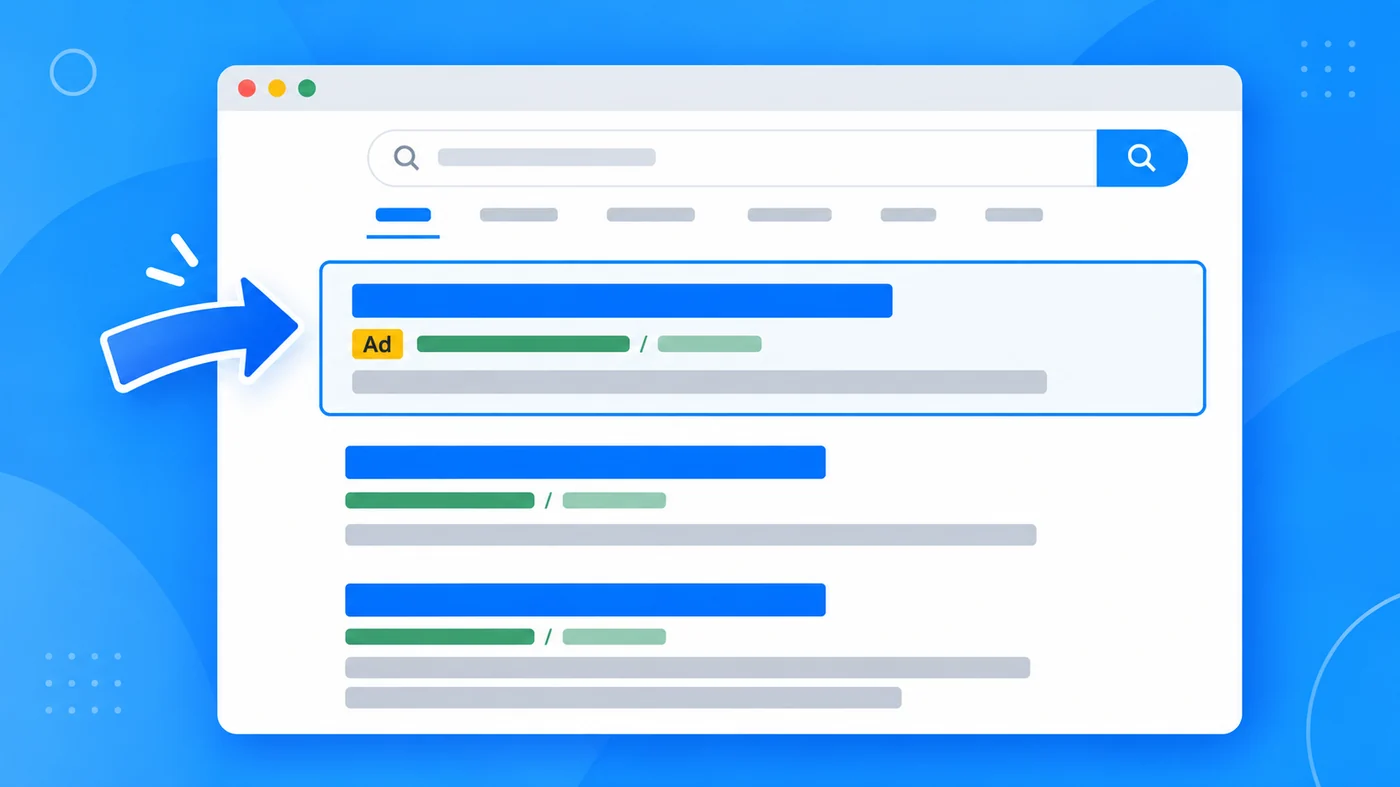
Google Ads is Google’s paid advertising platform. Advertisers bid to show a short text, image, video or product ad to people searching Google or browsing sites in Google’s network. The ads are labelled, usually with a small “Sponsored” or “Ad” tag, and they appear above or below the organic results.
It works on an auction rather than a fixed price list. You decide what a click is worth to you, Google combines your bid with the quality and relevance of your ad, and the winners are placed on the page. That is why a well built campaign by a small business can outrank a badly built one with a bigger budget.
The scale is the reason most Australian businesses end up there. Australia had 26.1 million internet users in January 2025, equal to 97.1% of the population, according to DataReportal’s Digital 2025 Australia report published with Kepios, so almost every potential customer is reachable through a Google property.
If you are new to the platform, Google’s own guide to Google Ads is a useful primer on the account structure before you spend anything.
How does the Google Ads auction decide which ads appear?
Every search triggers an auction that takes milliseconds. Google looks at your bid, how relevant your ad and landing page are to the search, your historical performance, and the expected impact of the ad formats and extensions you use. That combination produces your Ad Rank, which sets both your position and how much you actually pay.
The practical consequence is important. You almost never pay your maximum bid; you pay the minimum needed to beat the advertiser below you. Improving relevance and landing page quality lowers what you pay for the same position, which is the single biggest lever most accounts ignore.
What are the key benefits of Google Ads for businesses?
Four benefits carry most of the value: targeting, cost control, measurement and campaign management. Each one is worth understanding properly, because they are the four areas where a poorly managed account quietly wastes money.
Benefit 1: how does targeting reach the right people?
Targeting is the ability to show your ad to people with a specific interest, in a specific place, at a specific moment. Instead of broadcasting to everyone, you choose the conditions under which your ad appears, so your budget is spent on people who are plausibly in the market for what you sell.
Google gives you several targeting levers, and they combine. The main ones are:
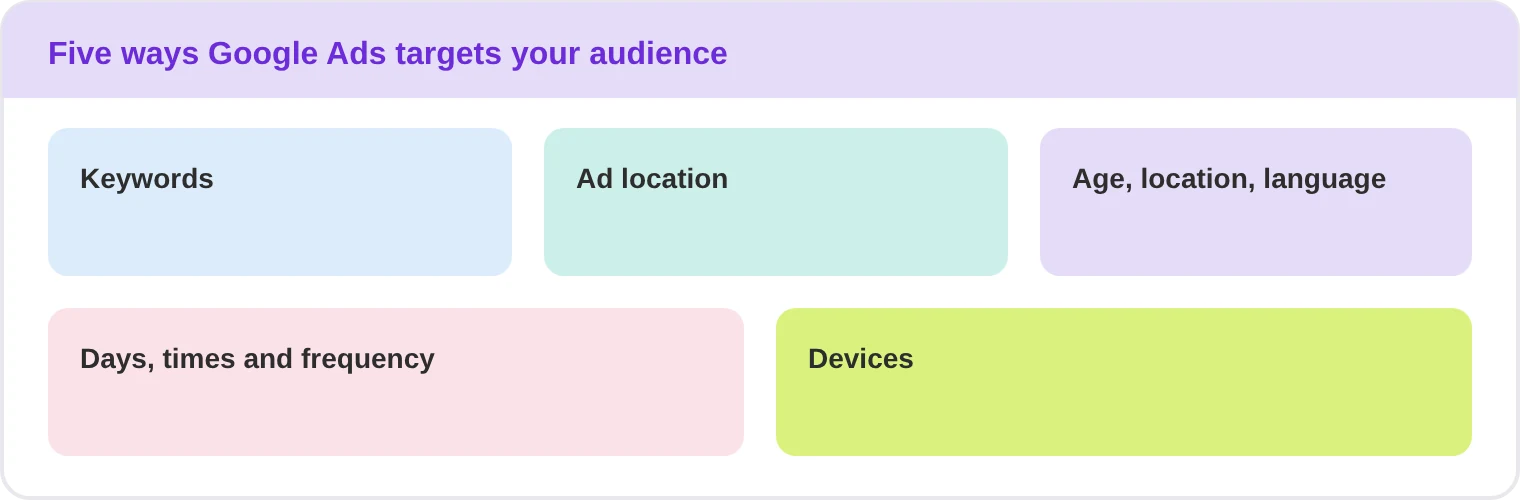
- Keywords: the words and phrases someone types into Google. You bid on the terms relevant to your products and services, and your ad appears when those searches, or close variants of them, happen.
- Ad location: you choose whether your ads run on Google search results, on sites and apps across the Display Network, on YouTube, in Gmail, or on Google Maps.
- Age, location and language: you set the demographics, the geographic areas you serve, and the language your customers speak.
- Days, times and frequency: you can run ads only during the hours your phone is answered, on the days you trade, and cap how often the same person sees the ad.
- Devices: ads can appear on computers, phones and tablets, and you can adjust bids or exclude a device type entirely, which matters enormously for mobile call conversions.
For a local business the payoff is concrete. A plumber in Clayton can show an ad only to people searching plumbing terms within a set radius, during working hours, on a phone. That is a narrower, cheaper, higher converting audience than any billboard or radio slot could deliver.
Benefit 2: how much control do you have over costs?
You decide the budget, and there is no minimum. You can set a daily or monthly figure, split it across campaigns, and pause or scale anything at any time. You pay when someone clicks, calls or converts, not simply for your ad being seen, which makes the cost per enquiry predictable in a way that traditional advertising is not.
The cost levers you control are:
- Budget: a daily amount per campaign, which Google will not exceed on average, or a shared budget across several campaigns.
- Bid strategy: you can bid manually, or use automated strategies that optimise for clicks, conversion value or a target cost per acquisition. Smart Bidding uses machine learning across millions of signals to set bids per auction.
- Geographic and schedule limits: restricting where and when ads run is the fastest way to cut wasted spend in most accounts.
- Negative keywords: terms you exclude so your ad does not show for searches that never convert, such as “free”, “jobs” or “DIY”.
| Control | What it does | Best used when |
|---|---|---|
| Daily budget | Caps average daily spend per campaign | You need a fixed ceiling |
| Bid strategy | Sets bids per auction automatically or manually | You have conversion data to learn from |
| Location and schedule | Limits where and when ads can appear | You serve a defined area or set hours |
| Negative keywords | Blocks searches that never convert | Your search terms report shows waste |
Ads stop the moment you stop paying. To build enquiries that keep arriving without a cost per click, DigiFix handles search engine optimisation and content for Australian businesses. Ask for a free consultation and we will show you where the organic opportunity is in your market.
Benefit 3: how do you measure whether it is working?
If someone clicked your ad, you can see it. If they clicked and then bought, called, booked or downloaded something, you can usually see that too, because conversion tracking ties the money to the outcome rather than to the click.
That single capability changes the conversation. You can see which ads earn clicks and which do not, which keywords produce enquiries and which produce traffic, and what it costs you on average to generate a phone call or an online sale. You can also learn about buying behaviour, such as how long people research before they purchase, which tells you how much remarketing a decision deserves.
In practice you should track four numbers before anything else:
- Cost per conversion, not cost per click. It is the only figure that connects spend to enquiries.
- Conversion rate, so you can see whether the problem is the traffic or the landing page.
- Search terms, the actual queries your ads appeared for. This is where wasted spend hides.
- Quality Score and impression share, which tell you whether you are paying more than you should and how much of your market you are winning.
Set the tracking up properly at the start, because decisions made without it are just opinions. If you are running campaigns and cannot answer what a lead costs you, that is the first thing to fix.
Benefit 4: how do you manage campaigns at scale?
Google builds the management tools into the platform. A manager account lets you view and manage many Google Ads accounts from one place, so an agency or a multi location business is not logging in and out all day. Google Ads Editor is a free desktop application that lets you download an account, make bulk changes offline, and upload them, including copying items between campaigns and undoing multiple edits.
For a business with several locations or service lines, that structure is what keeps account quality consistent. Naming conventions, budgets, negative keyword lists and conversion actions can be standardised once and applied everywhere, which is far cheaper than fixing campaigns one at a time later.
What are the benefits of Google Ads for small businesses?
For a small business, Google Ads is mainly a demand capture tool. You are not trying to create interest in a category; you are making sure that when somebody nearby searches for what you sell, they find you before they find the next three names on the list.
- You can start small. There is no minimum spend, so a few hundred dollars a month can test whether paid search works for your market before you commit further.
- Results arrive quickly. Unlike SEO, which compounds over months, a well built search campaign can produce calls in the first week, which matters when cash flow is tight.
- You compete on relevance, not size. A small operator with tightly themed ad groups, a fast landing page and the right call tracking can outrank a national brand with a sloppy account.
- Local targeting is precise. You can restrict ads to your actual service radius and to the hours you can answer, so you are not paying for enquiries you cannot service.
- You learn what sells. The search terms report is market research you would otherwise pay a consultant for, showing the exact words customers use about your services.
The most common small business mistake is not the budget, it is the landing page. Sending paid traffic to a homepage that talks about the company rather than the service wastes the click. Our guide to Google Ads for Melbourne businesses covers the specifics of turning those clicks into calls.
What are the benefits of Google Ads for large enterprises?
For an enterprise the questions change. The concern is rarely whether paid search works, it is how to run it consistently across many markets, products and teams without either duplicating spend or leaving gaps your competitors fill.
- Controlled scale. Manager accounts, shared budgets and Editor based bulk work let large teams operate hundreds of campaigns without the quality drifting between them.
- Brand protection. Bidding on your own brand terms is cheap defence. Without it, competitors buy your name and intercept customers who were already looking for you.
- Market coverage data. Impression share tells you how much of the searchable demand you are actually winning, per market, which is a channel planning input no other medium gives you this precisely.
- Clean measurement at scale. Once conversion values are attached to every enquiry, you can compare paid search against other channels on return rather than on volume.
- Automation that suits large accounts. Automated bidding performs best with volume, so large accounts often see the biggest gains from switching bidding to a conversion based strategy.
Planning budgets across several markets or locations? DigiFix builds documented marketing plans that set the budget, the channels and the reporting cadence for each one. Ask for a free consultation and we will map it out with you.
Which Google Ads campaign type should you choose?
Google offers several campaign types, and each is built for a different intent. Picking the wrong one is a common reason campaigns underperform, so start from what you want the customer to do. Google’s guidance on choosing a campaign type is worth reading alongside this summary.
| Campaign type | Where ads appear | Best for |
|---|---|---|
| Search | Google search results | High intent enquiries |
| Performance Max | All Google channels | Reach with one budget |
| Display | Sites and apps | Awareness and remarketing |
| Shopping | Search and Shopping tabs | Retail and ecommerce |
| Video | YouTube and partners | Demonstration and trust |
| Demand Gen | YouTube, Discover, Gmail | Demand creation |
| App | App stores and networks | Installs and in app actions |
| Local | Maps and local results | Visits to a shopfront |
Search campaigns
Search campaigns show text ads next to organic results for the terms you bid on. The benefit is intent: the person is typing a problem they want solved now, so conversion rates are typically the highest of any type. They are also the most controllable, because you decide the exact keywords, the match types and the negatives. Most businesses should start here, and most should still have a Search campaign running when everything else matures.
Performance Max campaigns
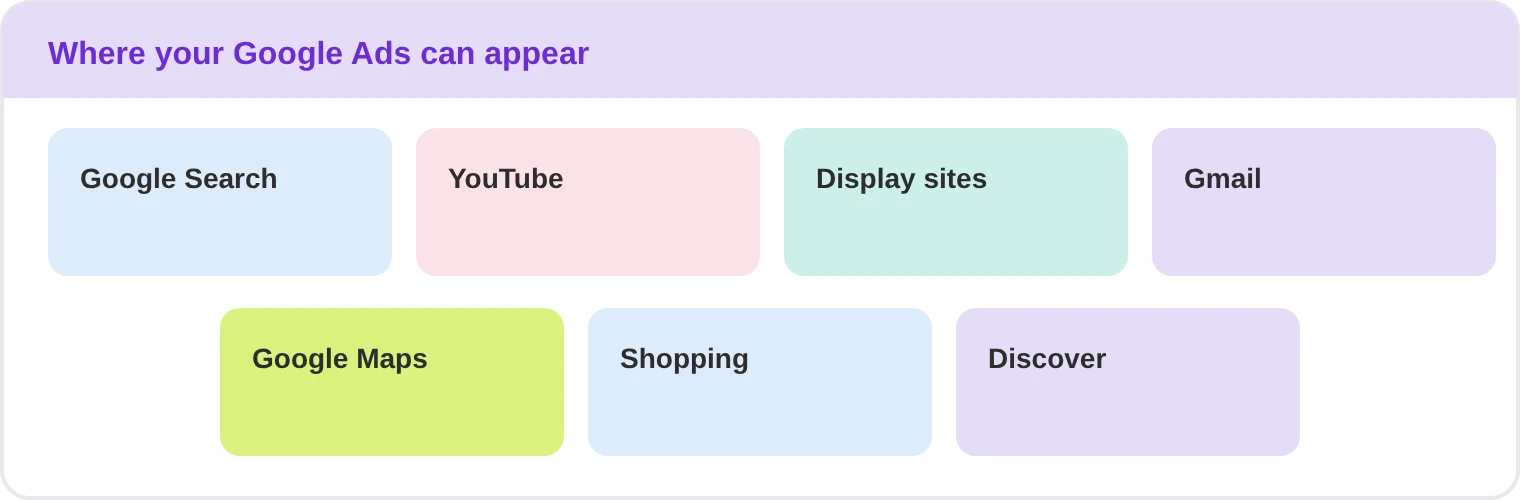
Performance Max runs a single campaign across Search, YouTube, Display, Gmail, Discover and Maps, with Google’s automation deciding the mix in real time. The benefit is reach and simplicity: one budget and one set of creative assets cover every channel, and the system finds conversions you would not have targeted manually. The trade off is visibility, so you need strong conversion tracking and account level exclusions to keep it honest. It suits businesses with product feeds or decent conversion volume.
Display campaigns
Display campaigns place banner ads on millions of websites and apps. Their strength is reach at low cost per impression and remarketing, which lets you stay in front of people who visited your site without enquiring. Display rarely produces the cheapest direct enquiry on its own, but it is effective at building the familiarity that makes the later search click convert, and it is the cheapest way to reach a very specific audience segment at scale.
Shopping campaigns
Shopping campaigns show your product image, price and store name directly in results. Because the ad is the product, they consistently produce strong click through rates for retailers and they let you segment by product, brand, margin and stock level. The main benefit over text ads is that buyers can qualify themselves before clicking, so the traffic that arrives is further down the decision path. They require a clean product feed, which is where most failures start.
Video campaigns on YouTube
Video campaigns run before, during and alongside YouTube content, plus video partners across the web. Their advantage is that video carries demonstration and tone in a way text cannot, which suits complex services and considered purchases. You can pay per view rather than per impression on skippable formats, so you only pay when someone watches past a threshold, which makes them efficient for building both awareness and consideration.
Demand Gen campaigns
Demand Gen places visual, social style creative across YouTube Shorts, YouTube feeds, Discover and Gmail. The benefit is reaching people who are not searching yet but match your audience profile, using the visual formats they already scroll through. It is a demand creation tool rather than a demand capture one, so treat it as a separate budget line and judge it on assisted conversions rather than last click.
App campaigns
App campaigns promote a mobile app across Search, Play, YouTube, Discover and the Display network, optimising towards installs or in app actions. The benefit is that you supply assets and a target cost per install or action, and Google assembles and places the ads automatically across formats. For businesses whose product is an app, it removes most of the manual work of running five separate campaign types to one audience.
How do you set up a Google Ads campaign?
The order of these steps matters more than the speed you move through them. Accounts that skip conversion tracking end up optimising blind for months.
- Decide the outcome first. A phone call, a form fill, a booking and an online sale are four different campaigns. Pick one primary goal per campaign and judge it only on that.
- Set up conversion tracking before you spend. Install the tag, mark a call and a form submission as conversions, and test that they record. This is the single most skipped step and the one that costs the most.
- Research the keywords. Build your list from the services you sell, the words your customers use when they phone you, and the terms your competitors bid on. Sort them by intent rather than by volume alone.
- Structure the account tightly. One theme per ad group, small keyword lists, and a negative keyword list from day one. A single ad group holding twenty unrelated services cannot produce a relevant ad.
- Write ads that answer the search. The headline should repeat the language of the query, and the promise in the ad must be the promise on the page. Relevance lowers what you pay, because it feeds your Ad Rank.
- Send traffic to the right page. Each ad group needs the page that answers that specific search, not the homepage. This is usually the largest single gain available to an underperforming account.
- Launch narrow, then review weekly. Start with one campaign, one location and a modest budget. Read the search terms report every week and remove what does not convert before you increase anything.
What are the most common Google Ads mistakes?
Most wasted spend in Australian accounts comes from the same short list. If you are running campaigns now, check these before you change a single bid.
- No conversion tracking. Without it you cannot tell a profitable campaign from a busy one, so every optimisation decision becomes a guess.
- Sending every click to the homepage. The homepage talks about the company. A landing page talks about the service the person just searched for.
- Broad match with no negative keywords. Your ad appears for loosely related searches, and you pay for people who were never going to buy.
- One enormous ad group. When twenty services share an ad group, the ad cannot be relevant to any of them and your quality scores fall.
- Judging the campaign in week one. The first month is data collection. Automated bidding in particular needs conversions before it can improve, so early panic resets the learning.
- Optimising for clicks instead of enquiries. A high click through rate on a keyword that never converts is not a success, it is an expensive habit.
- Never checking where ads appear. Display and video placements can run on low quality sites and channels unless you review and exclude them.
What are the limits of Google Ads?
Paid search is powerful but it is not free reach and it is not a substitute for a business that answers its phone. The honest limitations are worth knowing before you commit a budget.
- Visibility stops when spending stops, so it builds no lasting asset the way organic content does.
- Cost per click rises with competition and with seasonal demand, which you do not control.
- Automated bidding needs conversion volume to work well, so small accounts have a longer settling period.
- Performance depends on your landing page, your pricing and your reviews, not on Google alone.
- It is the wrong tool for very low search volume niches, where there is simply not enough demand to buy.
Frequently asked questions about Google Ads
How much should a small business spend on Google Ads?
Start from the value of a customer rather than a monthly figure you are comfortable with. If an average job is worth $1,000 and you need it at a cost per lead under $100, you already know your ceiling. A sensible test budget is enough to produce 30 or more clicks, because anything less cannot tell you whether the campaign is working.
Is Google Ads better than SEO?
They do different jobs, so the honest answer is neither. Google Ads buys immediate visibility and stops the moment you stop paying. SEO builds visibility that compounds and keeps earning after the work is done. Most businesses get the best result running both, using ads to learn which keywords convert and SEO to reduce the long term cost of that demand.
How long before Google Ads produces results?
A correctly configured search campaign can produce calls or enquiries in the first week. The first month is usually about gathering data and cutting wasted spend, and automated bidding strategies need conversions before they perform well, so expect performance to settle over one to three months rather than overnight.
Can I run Google Ads myself?
You can, and for a single tightly themed campaign in one location many owners do. The usual failure points are weak conversion tracking, no negative keyword list, one oversized ad group for every service, and sending traffic to a homepage. If you cannot state your cost per enquiry, that is the sign to get help.
What makes Google Ads account quality matter?
Because your Ad Rank combines bid with quality and relevance, a better built account pays less for the same position. Ad relevance, expected click through rate and landing page experience all feed into Quality Score, so improving the page and the ad copy is often more effective than raising the bid.
Do I keep ownership of my Google Ads account?
You should. Ask any agency, freelancer or contractor to work inside an account that you own and to grant access as a user rather than creating one under their name. That way the campaign history, conversion data and audiences stay with your business if you ever change providers, and the learning you paid for is not lost.
Want enquiries that do not depend on ad spend? DigiFix runs SEO, content, social media, reputation management, web development and AI call agents for Australian businesses. Book a free 30 minute call with Nel Cooray and we will tell you honestly which of those your business needs first.
Conclusion
The benefits of Google Ads are control, and they hold true regardless of the year. You choose who sees the ad, what you are willing to pay, how the result is measured, and how the account is managed. Nothing about that changes when the platform icon gets redesigned.
What does change is the competition and the automation, which is why the accounts that win are the ones with clean tracking and someone actually reading the search terms report. You can see the results we deliver on our portfolio page, read more in the blog, or learn about us on the about page.