“If we go custom, will I have to email a developer every time I change our opening hours?” It is one of the first questions business owners ask when they consider leaving WordPress, and it is a fair one.
The short answer is yes, you can still edit a custom website yourself, as long as editing is planned into the build from day one. This article explains what that looks like in practice, what you can and cannot change, and how to make sure your team keeps control. For the bigger platform decision, see our complete guide to WordPress vs custom websites.
Why some custom sites are hard to edit
Whether you can edit custom website content comes down to how the site was built. On a custom build, editability is a design decision, not a built-in feature. If a developer hard codes your text straight into the website’s files, every change needs that developer. That is where the horror stories come from.
If the developer connects the site to a content management system (CMS), the software you log into to change words and images, your team can update content whenever it likes. The website looks and performs like a custom build, but day to day it behaves much like any other site you have managed.
So the real question is not “can we edit it?” but “has the build been set up for the edits we actually make?”
The three layers of editing
It helps to split “editing” into three layers, because each one is handled differently.
- Content: words, images, prices, team bios, blog posts and FAQs. This is the layer you should own completely.
- Page structure: which sections appear on a page and in what order. A good setup lets you build new pages from approved blocks.
- Design and features: new page types, layouts, forms, integrations and anything that changes how the site works. This layer belongs with your developer.
Here is how common tasks usually fall on a well set up custom site.
| Task | Can you do it yourself? | Notes |
|---|---|---|
| Change phone number, hours or prices | Yes | Usually a single field in the CMS |
| Publish a blog post or news item | Yes | Write, add images, preview, publish |
| Swap a hero image or banner | Yes | Alt text and cropping handled in the editor |
| Add a new service or location page | Yes, from a template | Uses existing page sections |
| Rearrange sections on a page | Often | Depends on how flexible the blocks are |
| Create a brand new type of page | No | Developer designs and builds the template |
| Add a booking tool or CRM integration | No | Developer connects and tests it |
| Change the site’s overall design | No | A design project, not an edit |
Your editing options on a custom build
1. A headless CMS
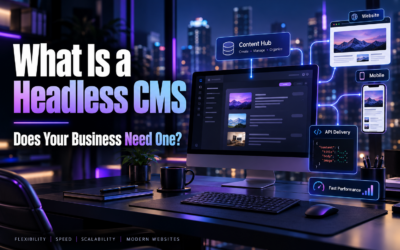
This is the most common choice for modern custom websites. A headless CMS stores your content separately and sends it to the website through an API, a secure connection between two systems. Platforms like Sanity give editors a tidy dashboard with structured fields, image tools and live previews. Our explainer on what a headless CMS is covers how it works.
2. Headless WordPress
If your team already knows the WordPress dashboard, you can keep it purely for content while a custom front end handles the design and speed. Staff barely notice the change, although some front-end plugins stop working.
3. File-based content
Some sites store content in simple text files that live alongside the code. It is fast and cheap to run, but editing involves tools most business owners will never want to touch. It suits technical teams, not busy owners.
4. Developer-managed updates
For a site that changes once or twice a year, paying a developer for occasional edits can be the simplest option. It only becomes a problem when updates are frequent or urgent.
Plan a custom site your team can actually update
We design the editing experience alongside the website, so your staff can make changes confidently from the first week.
See our web development serviceHow to edit custom website content: a typical walkthrough
Here is what updating a service page usually looks like in a headless CMS. The exact screens vary, but the flow is very similar across tools.
- Log in to the CMS with your own account, not a shared password.
- Open the page from a list grouped by type, such as Services, Locations or Blog.
- Edit the fields: heading, introduction, body text, FAQs and call to action each have their own box.
- Upload or swap images and add alt text, a short description that helps screen readers and search engines.
- Fill in the SEO fields for the page title and meta description.
- Preview the page exactly as visitors will see it.
- Publish. The site updates, often within moments.
Notice what is missing: no fiddling with fonts, spacing or colours. Structured fields keep the design consistent, so a rushed Friday edit cannot accidentally break the layout. Many teams find this calmer than wrestling with a page builder.
What a good editing setup includes
01
Live preview
See changes exactly as visitors will before you publish.
02
Reusable sections
Build new pages from approved, on-brand blocks.
03
User roles
Give writers, approvers and admins the right level of access.
04
Built-in SEO fields
Titles, descriptions and alt text sit next to the content.
05
Version history
Roll back a change if something goes wrong.
What you give up compared with WordPress
It would not be honest to pretend the experience is identical. On WordPress, a confident user can install a plugin, drag in a new layout or bolt on a feature on a Friday afternoon. On a custom build, those jobs go to your developer.
Some owners see that as a loss of freedom. Others see it as protection, because the site stays fast, secure and on brand. If your team relies on adding features quickly, read our comparison of WordPress plugins vs custom features before deciding.
See what our custom builds look like
Browse recent DigiFix projects to get a feel for the design, speed and polish of a custom website.
View our portfolioQuestions to ask before your build starts
The best time to sort out editing is before a single line of code is written. Bring these questions to your developer:
- Which CMS will we use, and why that one?
- Exactly which parts of the site can we edit without code?
- Can we create new pages ourselves, and from which templates?
- Is there a live preview before publishing?
- Who owns the CMS account and the content inside it?
- What training and written guides do we get at handover?
- What does support cost when we need something the CMS cannot do?
Clear answers here prevent most of the frustration people feel when they try to edit custom website pages after launch.
When editing needs point back to WordPress
Sometimes the honest answer is that WordPress suits you better. If several staff publish content daily, you lean heavily on plugins, or the budget will not stretch to a headless CMS, an optimised WordPress site is often the better fit. We explain those situations in when staying on WordPress is the smarter choice, and the trade-offs sit side by side in our WordPress vs custom website guide.
Want a straight answer for your business?
Book a free, no-obligation consultation. We will look at how your team edits today and recommend the setup that fits.
Book a free consultationQuick quiz: Who edits what?
Pick your answer, then tap to reveal.
1. You need to update your Saturday opening hours. On a well set up custom site, who does it?
A) You, in the CMS B) Your developer C) Your hosting company
Reveal answer
A) You. Simple content like hours and prices should always be editable without code.
2. You want a completely new type of page with a booking calendar. Who builds it?
A) You, with a plugin B) Your developer C) The CMS does it automatically
Reveal answer
B) Your developer. New templates and integrations sit in the design and features layer.
3. What stops a quick edit from breaking the layout on a headless CMS?
A) Structured fields B) Shared passwords C) Disabling preview
Reveal answer
A) Structured fields. Content goes into set boxes, so the design stays consistent.
How DigiFix approaches editable custom sites
When we scope a custom website build, we map the content your team changes most and design the CMS around it, so the editing screens match how you actually work. For smaller projects, our small business website design service keeps the setup simple and budget friendly.
Editable content also makes it easier to add smart tools later, such as the ones in our article on AI website features that turn visitors into customers. To learn more about the people behind the work, visit our about DigiFix page, explore our digital marketing services or read more on the DigiFix blog.
Frequently asked questions
Do I need training to edit custom website content?
A short walkthrough is usually enough. A well designed CMS uses clear labels and simple fields, so most staff are comfortable after one session and a written guide.
Can more than one person edit the site?
Yes. Most headless CMS platforms support multiple users with different roles, so writers can draft while a manager approves and publishes.
What if I want to edit custom website pages that were built without a CMS?
A CMS can often be added later, although it usually means reworking parts of the site. It is more cost effective to plan it in from the start.
Will editing the site myself affect SEO?
It can help. Fresh, accurate content supports rankings, and built-in SEO fields make it easy to get titles and descriptions right every time.
Ready to plan your next website?
Tell us how your team works and what you need to change, and we will recommend a build that keeps you in control.
Get in touch